C4 Level 4 — Sequence Flows
Detailed interaction sequences showing exactly how data flows between components.
Flow 1: Known Merchant (Auto-Approve)
User forwards an Adobe receipt. Pattern exists → auto-approved.
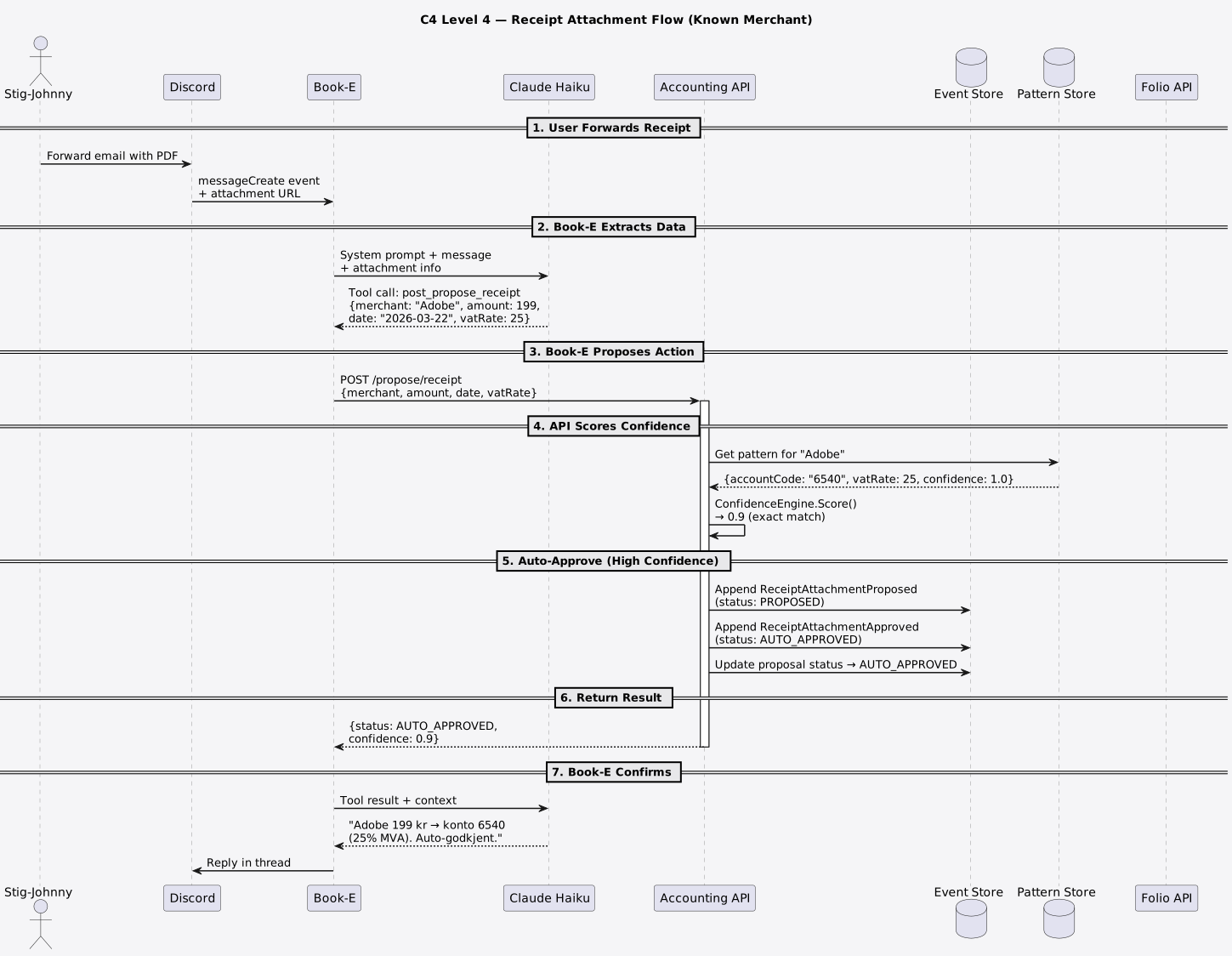
Key points: - ConfidenceEngine scores against PatternStore data (pure logic, no I/O) - Score ≥ 0.9 → auto-approve (no human needed) - Two events stored: Proposed + Approved - Book-E confirms to user in Discord thread
Flow 2: Unknown Merchant (Review Required)
User forwards an invoice from a new supplier. No pattern → review required.
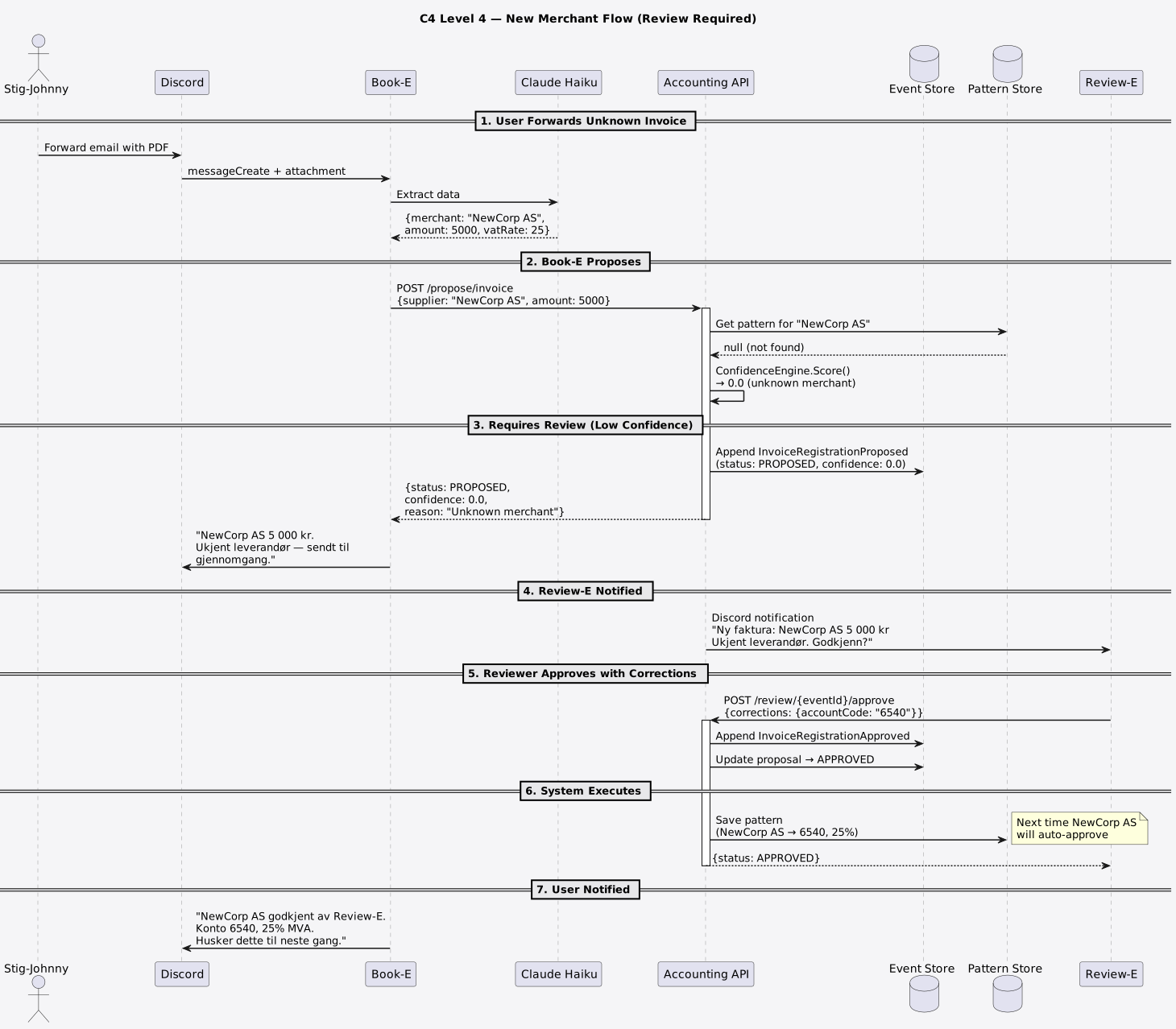
Key points: - ConfidenceEngine returns 0.0 for unknown merchant - Event stays as PROPOSED until reviewer acts - Reviewer can approve with corrections (e.g., set account code) - On approval, pattern is saved for future auto-approve - Next invoice from this merchant will auto-approve
Flow 3: Balance Query (Direct, No Events)
User asks "Hva er saldo?" — read-only, no event needed.
User → Discord → Book-E → Claude Haiku (decides tool)
  → GET /folio/balance → Accounting API → Folio API /accounts
  → Returns account list → Book-E formats → Discord thread reply
No events. No review. Direct HTTP round-trip.
Flow 4: Daily Cron Check
CronJob runs at 07:00 UTC.
CronJob → GET /check/missing-receipts → Accounting API
  → Folio API /events?startDate=...
  → Filter: empty attachments
  → Return list of missing receipts

CronJob → GET /check/overdue-invoices → Accounting API
  → Fiken API /invoices
  → Filter: past due date
  → Return list of overdue invoices

(Results posted to Discord #invoices by Book-E)
When to Create L4 Diagrams
L4 sequence diagrams are for: - Complex multi-step interactions (like the review flow) - Debugging — "what order do things happen?" - Onboarding — "show me how receipt processing works end-to-end"
You don't need L4 for simple queries (like balance check). The L3 component diagram + a text description is enough.