Flow Diagrams
All diagrams are PlantUML sequence diagrams showing the full request lifecycle from trigger to Tripletex API call. Components map to the IDesign architecture layers.
Flow 1: Employee Submits Receipt via Slack
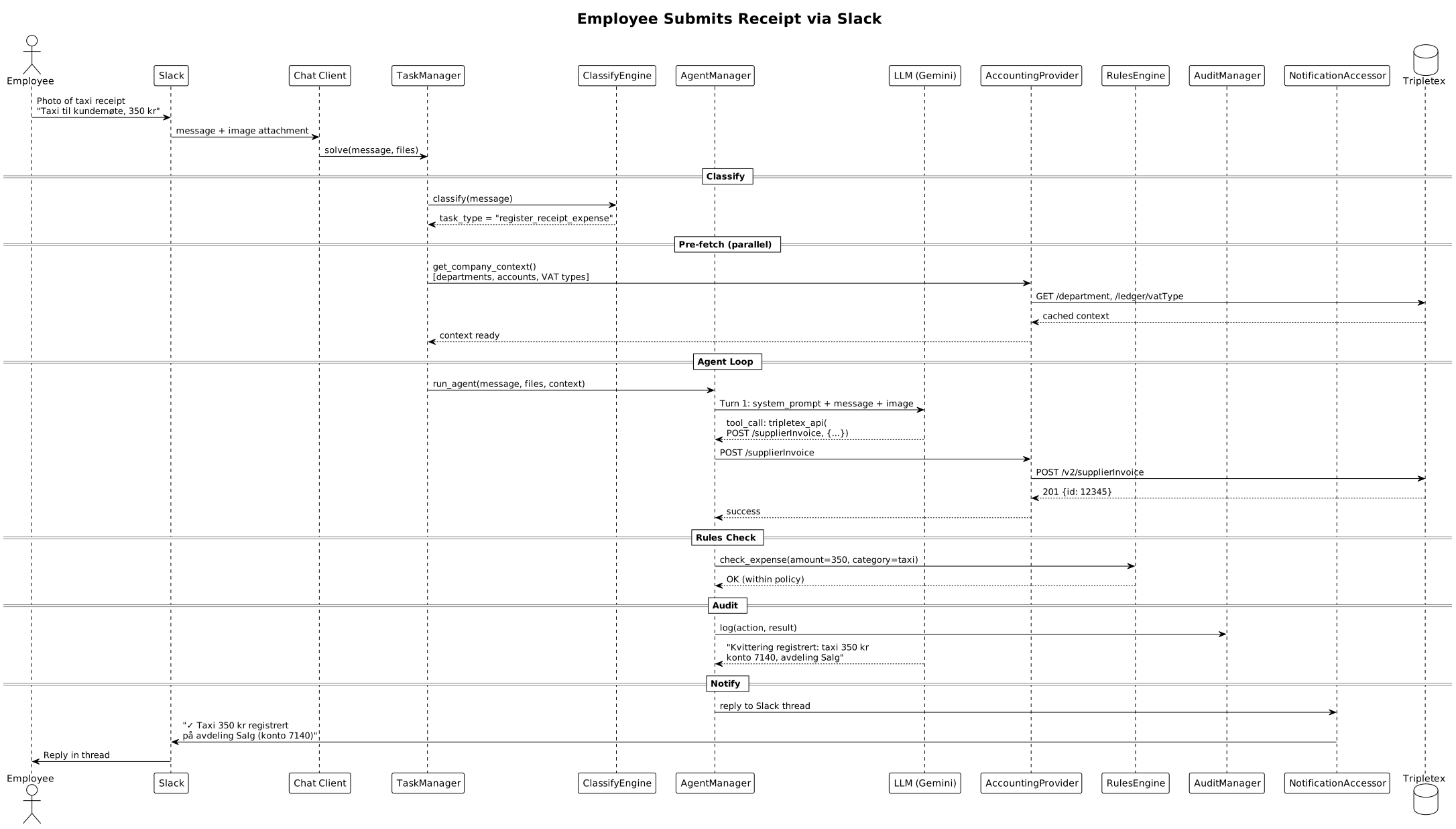
Steps:
- Employee sends photo + description in Slack
- Conversation Agent receives message + image, manages context
- Conversation Agent calls Accounting API (
POST /solve) - TaskManager classifies as receipt expense
- AgentManager runs LLM to extract fields from image
- LLM calls Tripletex API to register supplier invoice
- RulesEngine checks expense against company policy
- Response returned to Conversation Agent, which posts reply to Slack thread
Flow 2: Daily Compliance Monitoring
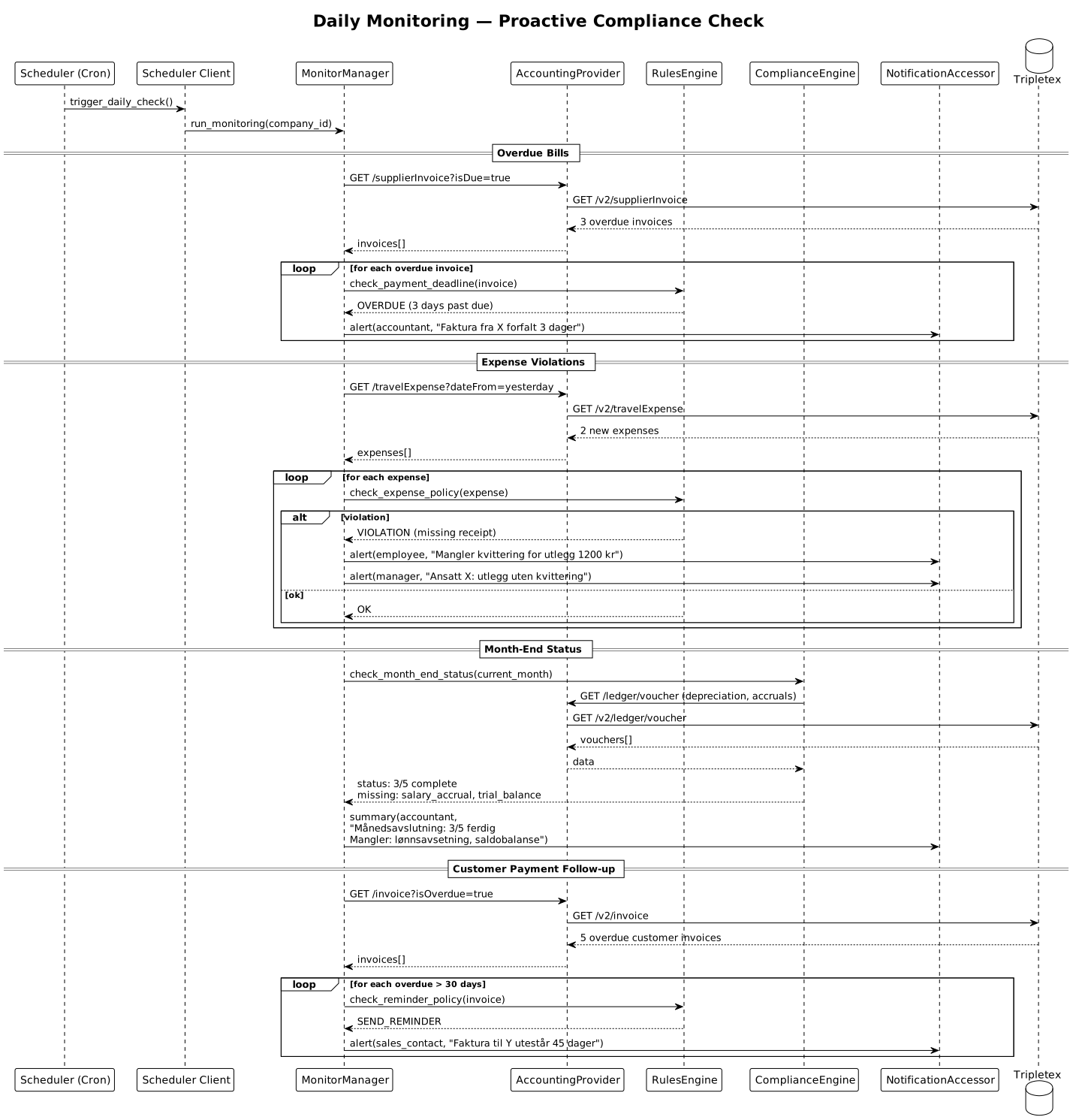
Checks performed daily:
- Overdue bills -- Supplier invoices past due date, alert accountant
- Expense violations -- Travel expenses without receipts, alert employee + manager
- Month-end status -- Missing depreciation, accruals, trial balance, remind accountant
- Customer follow-up -- Overdue customer invoices > 30 days, alert sales contact
Flow 3: Invoice Creation via Slack
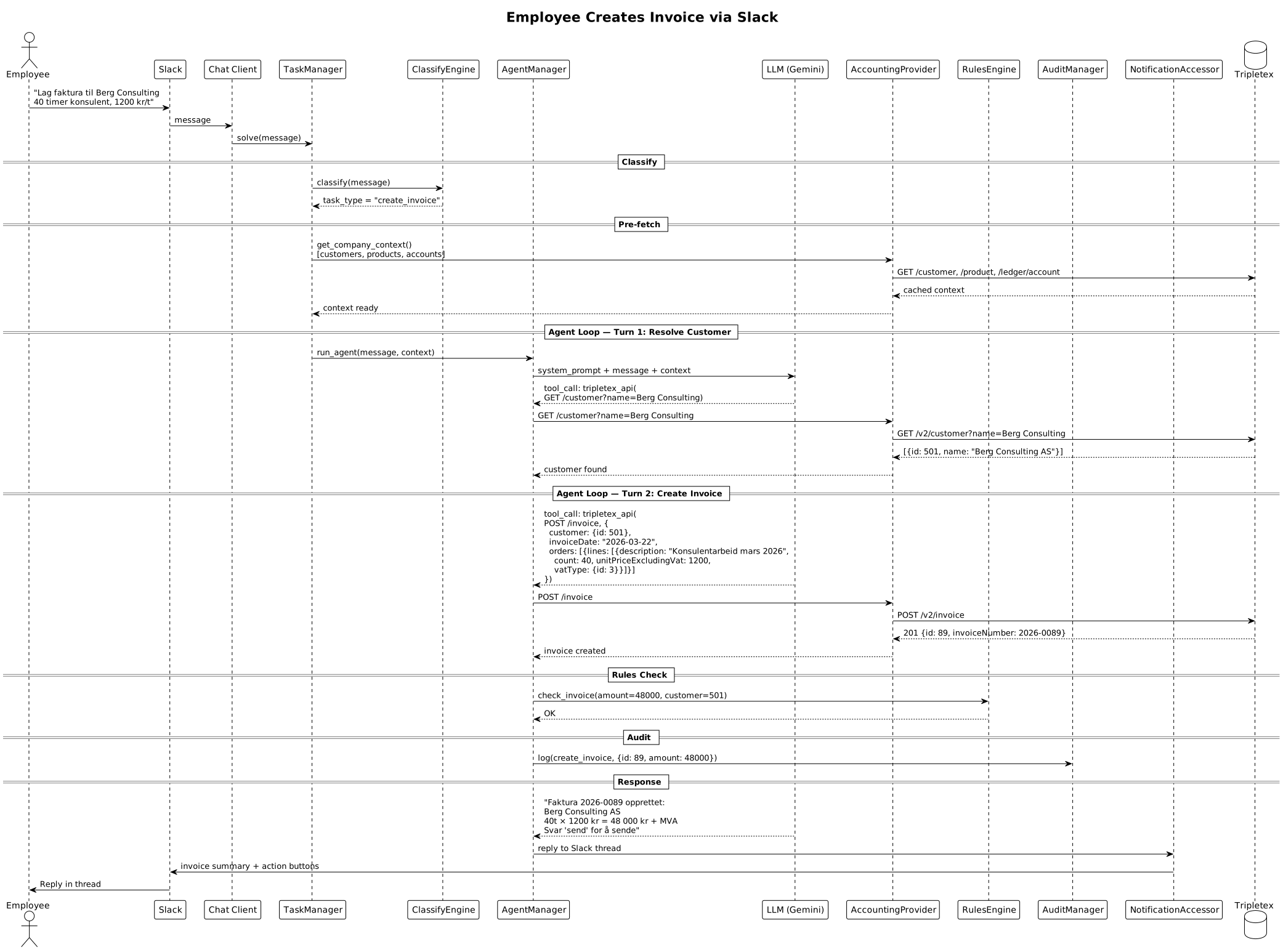
Steps:
- Employee requests invoice creation in Slack with customer name, hours, and rate
- Conversation Agent handles clarification (e.g., which customer, rate), then calls Accounting API
- ClassifyEngine identifies as
create_invoice - AgentManager resolves the customer (searches by name)
- LLM creates invoice with correct line items, VAT, and due date
- RulesEngine validates invoice amount and customer credit
- Confirmation returned to Conversation Agent, which posts draft summary and "send" action
Flow 4: Month-End Closing Checklist
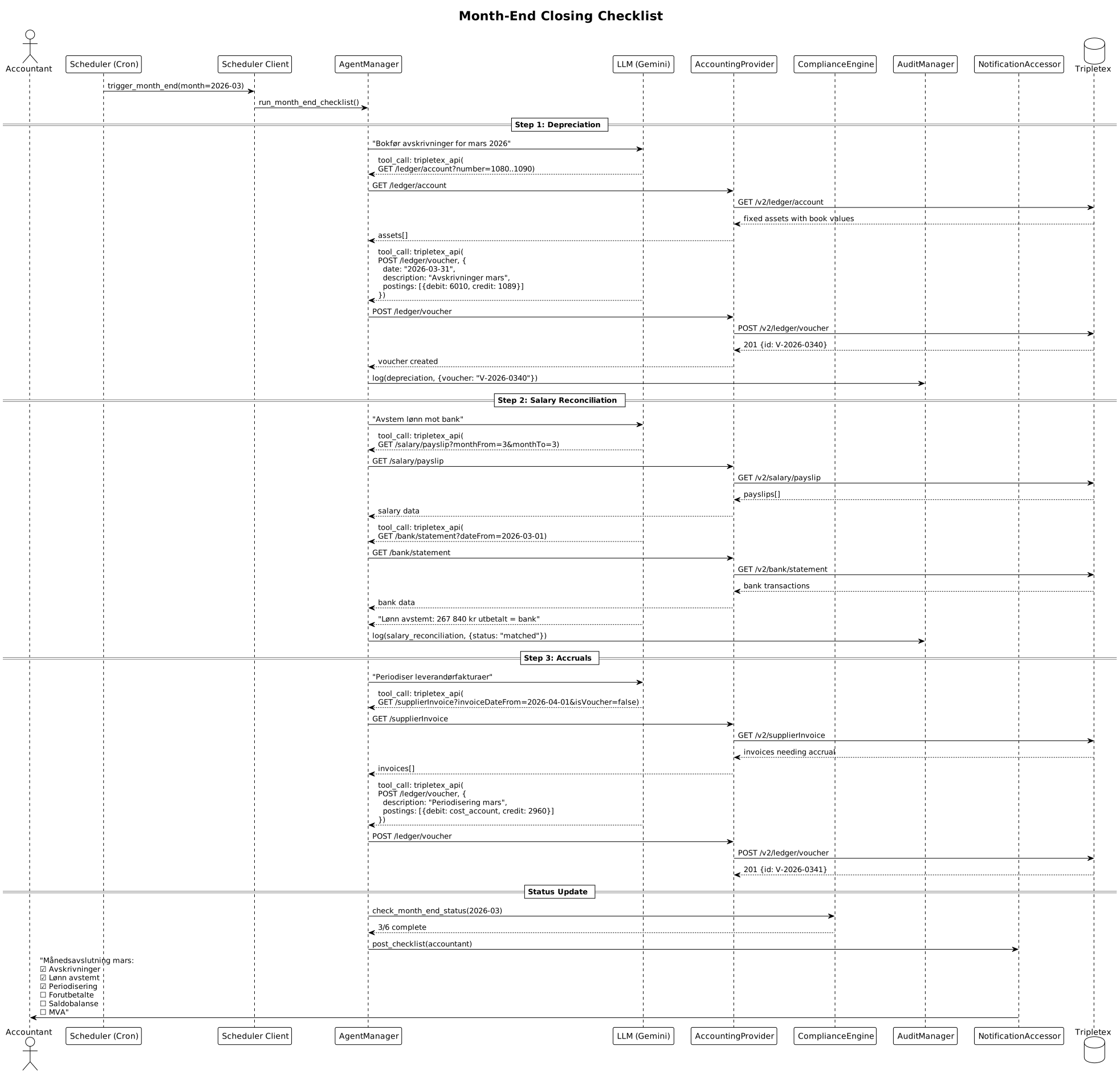
Checklist items (automated):
| Step | Action | Tripletex API |
|---|---|---|
| 1 | Book depreciation | POST /ledger/voucher |
| 2 | Reconcile salary vs bank | GET /salary/payslip, GET /bank/statement |
| 3 | Accrue supplier invoices | POST /ledger/voucher |
| 4 | Prepaid expenses | POST /ledger/voucher |
| 5 | Generate trial balance | GET /ledger/account |
| 6 | Prepare VAT return | GET /ledger/posting with VAT filters |
The agent runs each step sequentially, logging progress. The accountant sees a live checklist with status updates.
Flow 5: Bank Reconciliation from CSV
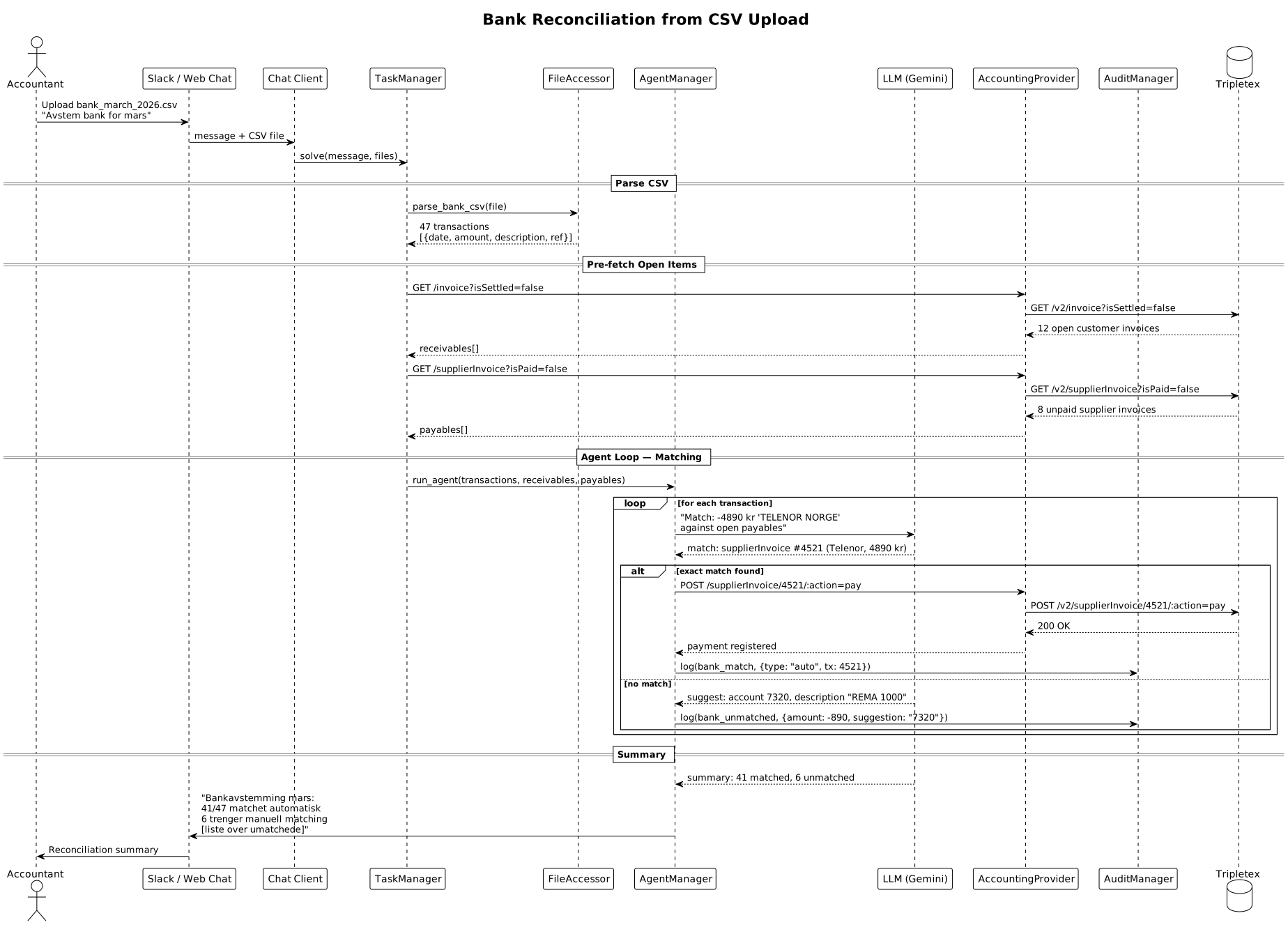
Steps:
- Accountant uploads CSV bank statement
- FileAccessor parses transactions (date, amount, description, reference)
- AgentManager fetches open receivables and payables from Tripletex
- LLM matches each transaction against open items using amount + description fuzzy match
- Matched items: payment registered automatically via
POST /supplierInvoice/:id/:action=pay - Unmatched items: LLM suggests account code, presented for manual confirmation
- Summary posted with match rate and list of unmatched transactions
Flow 6: Supplier Invoice from Email
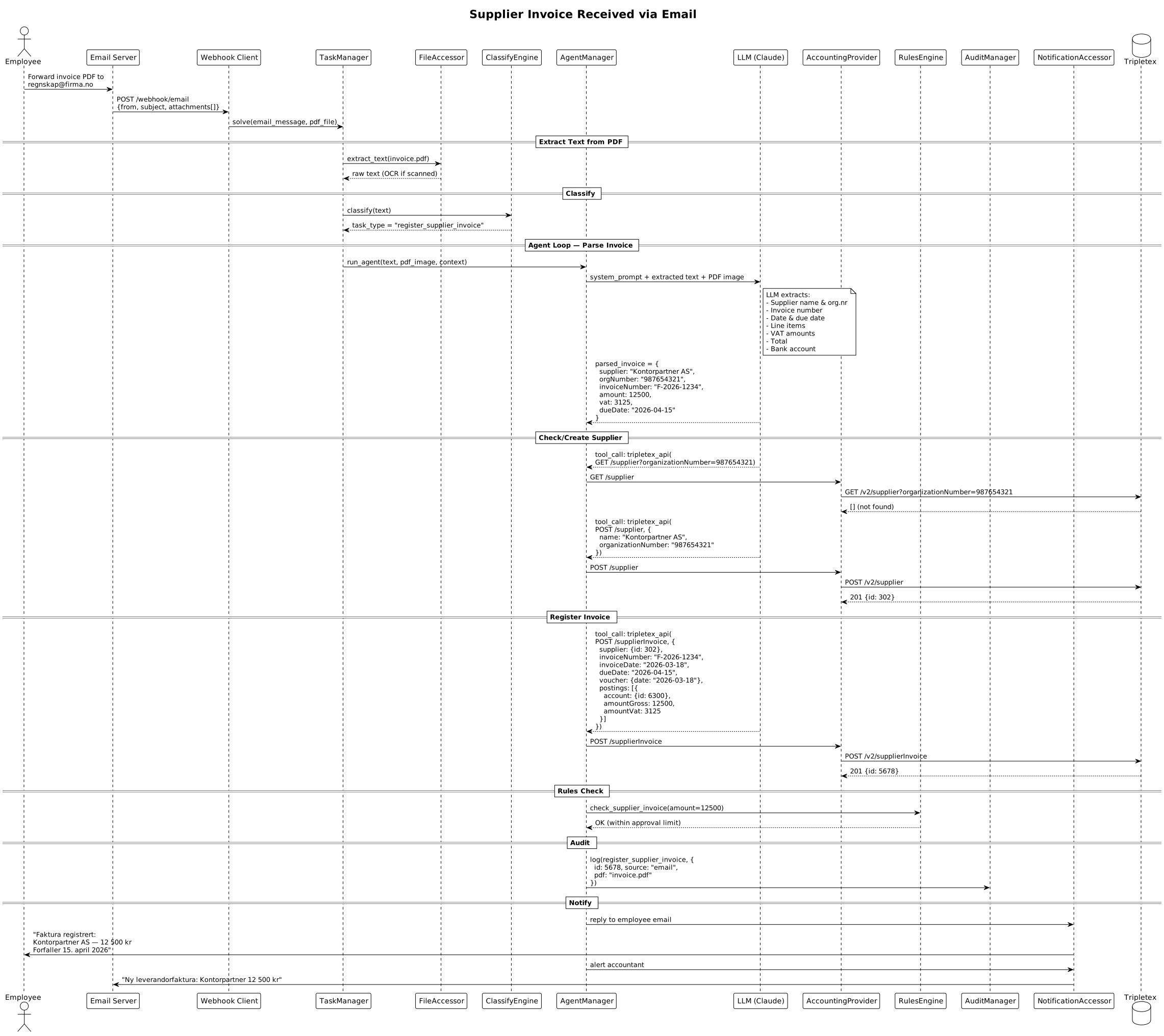
Steps:
- Employee forwards PDF invoice to
regnskap@firma.no - Conversation Agent receives email webhook, extracts attachment, calls Accounting API (
POST /solve) - FileAccessor extracts text from PDF (OCR if scanned)
- LLM parses invoice fields: supplier, amounts, dates, line items, VAT
- Supplier lookup by org number; created if new
- Invoice registered in Tripletex with correct account codes
- AuditManager logs all actions with PDF reference
- Response returned to Conversation Agent, which sends confirmation to employee and accountant
Flow 7: Monthly Payroll Run
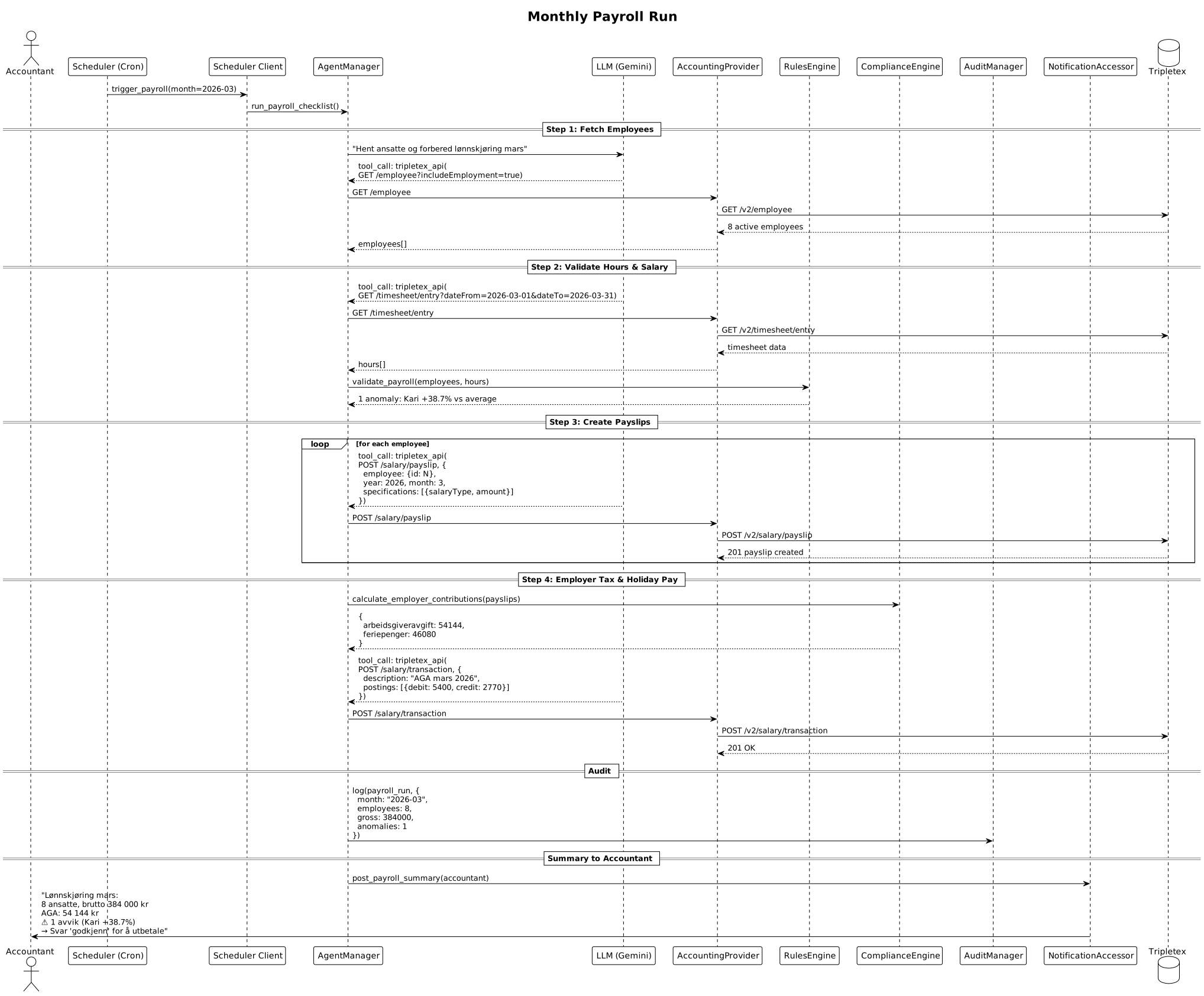
Steps:
- Cron triggers on the 20th (or manual request)
- AgentManager fetches active employees and timesheet entries
- RulesEngine validates: hours within limits, salary vs historical average
- Payslips created per employee via
POST /salary/payslip - Employer tax (AGA) and holiday pay calculated by ComplianceEngine
- Transactions posted to general ledger
- Anomalies flagged (e.g., >20% deviation from average)
- Summary sent to accountant for approval before payout
Flow 8: Employee Asks About Budget
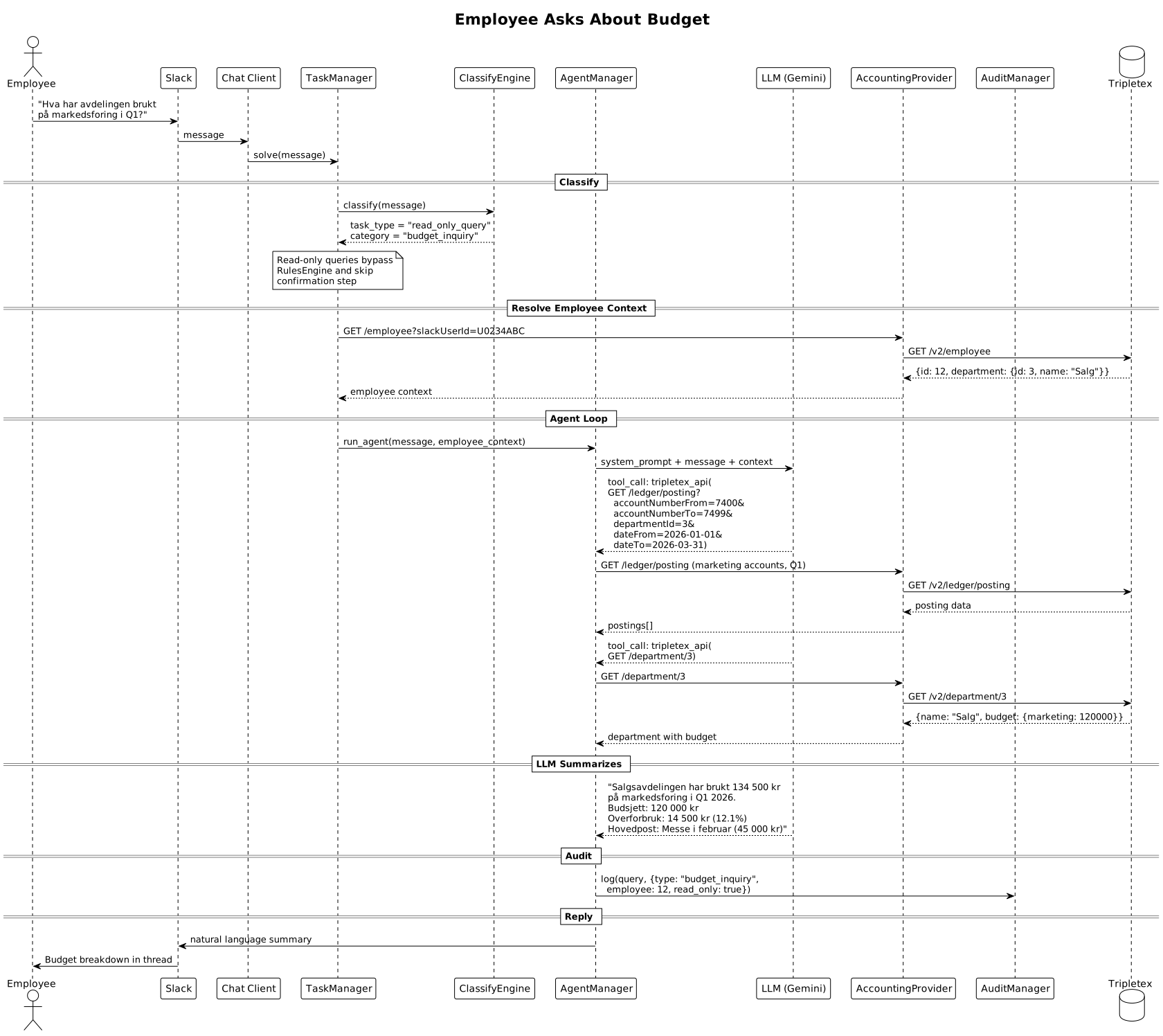
Steps:
- Employee asks a natural-language question in Slack
- Conversation Agent receives question, manages conversation context, calls Accounting API (
POST /solve) - ClassifyEngine identifies as read-only query (no confirmation needed)
- Employee context resolved (department, role, access level)
- AgentManager fetches relevant ledger postings from Tripletex
- LLM summarizes data in natural language with numbers
- Response returned to Conversation Agent, which posts in Slack thread
Key design decision: Read-only queries skip the RulesEngine and do not require confirmation, enabling instant responses.